Zorkeythos N96

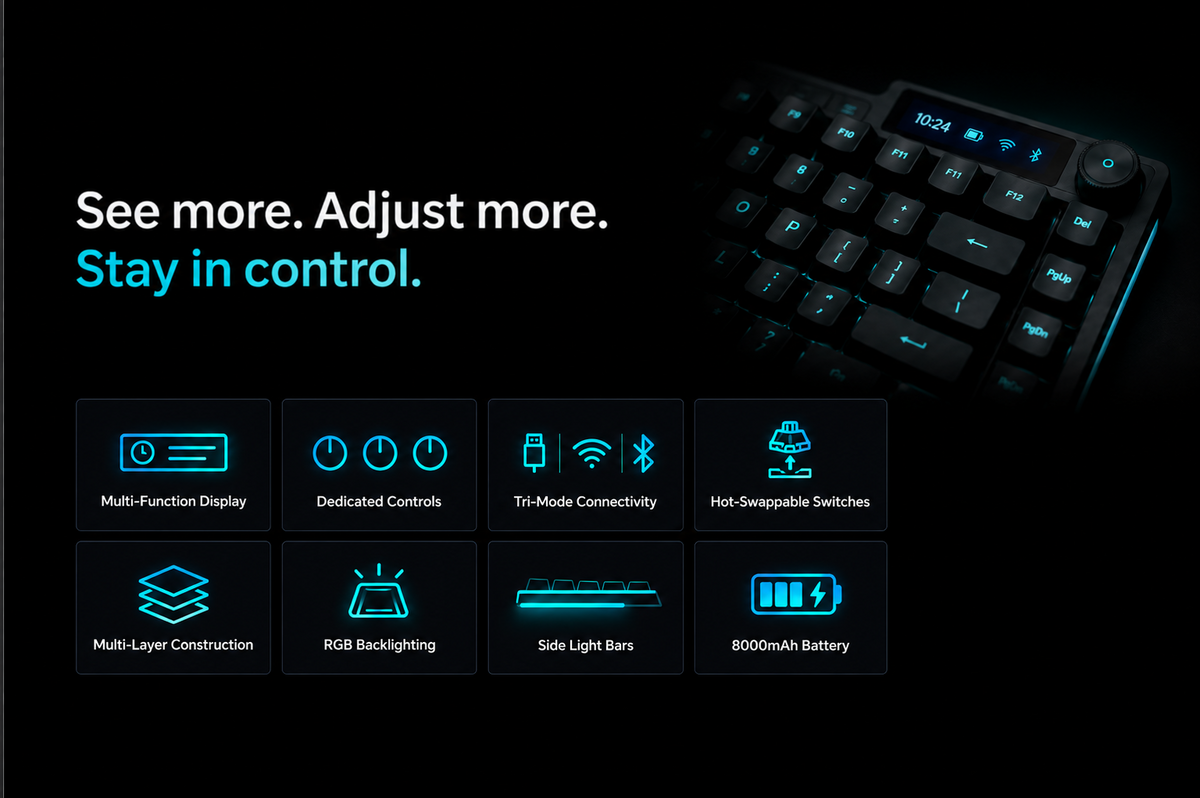
See more. Adjust more. Stay in control.

A wireless mechanical keyboard with a built-in display and hands-on controls.

PRE-ORDER NOW

Coming Soon to Kickstarter

Sign up for launch updates and early-bird offers.

Everything Within Reach.

Everything Within Reach.
Multi-Function Display
MUSE Design Awards

MUSE Design Awards

2026 Gold Winner

The MUSE Design Awards celebrates excellence in design across multiple disciplines. Recognizing creativity, innovation, and functionality, it honors designers and brands whose work brings fresh ideas and thoughtful solutions to the world.

French Design Award

French Design Award

2026 Winner

The French Design Award recognizes outstanding design through aesthetics, innovation, ergonomics, and positive impact. Evaluated by an international panel of design experts, it celebrates original ideas that combine visual appeal with meaningful benefits for users.

YSP Green Award

YSP Green Award

2026 Winner

The YSP Green Award celebrates sustainable product design, bringing together aesthetics, functionality, innovation, and environmental responsibility. It recognizes design ideas that balance practical human needs with resource efficiency and care for the environment.

Your Keyboard.Your All-in-One Control Hub.

Dedicated controls. Essential information. All within reach.

Zorkeythos N96 keyboard with integrated display and physical controls
  • Status Display
  • Physical Controls
  • Programmable Key
Check your keyboard status, adjust volume and lighting, switch connection modes,
and trigger custom shortcuts—all from one integrated control panel.

Your Keyboard Status.One Clear View.

Connection, battery, time and more—at a glance.

Zorkeythos N96 integrated front display

Keyboard Status

Check your connection mode, system setting and battery level.

Time & Date

Keep the time, date and day of the week in view.

Environmental Info

View temperature and humidity at a glance.

Six Controls. Direct Access.

Adjust volume and lighting, switch connection modes and systems, and access your custom shortcut with six dedicated physical controls.

Volume Control

Volume Control

Scroll up to increase volume. Scroll down to lower it.

Lighting Speed

Lighting Speed

Adjust the speed of your keyboard’s lighting effects.

Lighting Brightness

Lighting Brightness

Increase or decrease the keyboard’s backlight brightness.

Custom Key

Custom Key

Assign a shortcut or macro to the dedicated programmable key.

Connection Mode Switch

Connection Mode Switch

Select USB-C, 2.4GHz wireless, or Bluetooth.

Windows / Mac Switch

Windows / Mac Switch

Slide left for Windows. Slide right for Mac.

6 controls

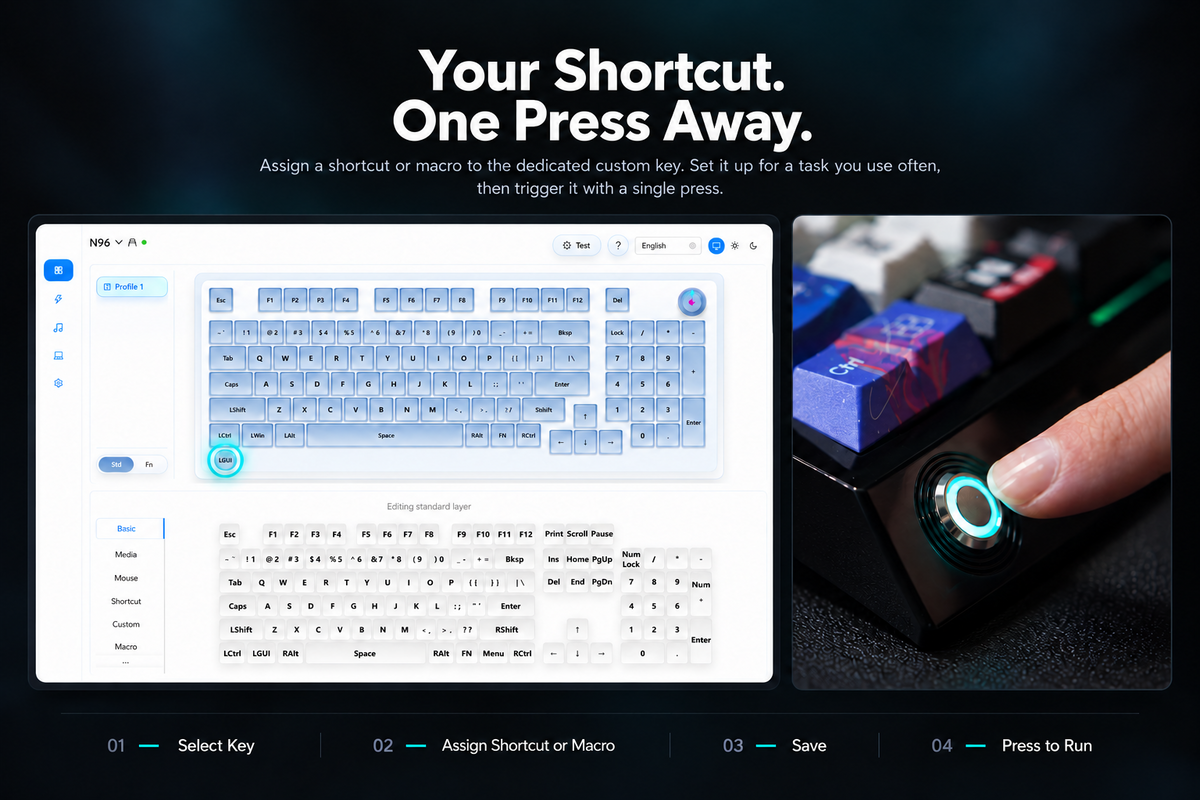
Your Shortcut.One Press Away.

Assign a shortcut or macro to the dedicated custom key. Set it up for a task you use often, then trigger it with a single press.

  1. Select Key
  2. Assign Shortcut or Macro
  3. Save
  4. Press to Run

Built for Everyday Typing.

98-Key Compact Layout

A dedicated number pad and arrow keys, together in a compact layout.

98-Key Compact Layout

Feel Every Keystroke

Five layers of internal cushioning help reduce unwanted resonance as you type.

Feel Every Keystroke

Hot-Swappable Switches

Change your switches to customize your typing feel—no soldering required.

Hot-Swappable Switches
Carbon Shadow Switch

Carbon Shadow Switch

With a light 40±5 gf operating force and a nominal 1.0 mm pretravel, the
Carbon Shadow Switch puts actuation closer to your fingertips. A compact 3.2±0.3 mm total travel and a rated lifespan of at least 50 million keystrokes support everyday typing and gaming.
Operating force
40±5gf
End force
50±8gf
Pretravel
1.0mm
+0.5 / −0.1 mm
Total Travel
3.2±0.3mm
Force-travel diagram for the Carbon Shadow Switch

Lighting Beyond the Keys.

RGB backlighting and side light bars bring color to your setup. Adjust brightness and effect speed with dedicated physical controls.

Zorkeythos N96 with RGB backlighting and side light bars on
Zorkeythos N96 with RGB lighting off

Drag left or right to compare. Use the arrow keys, Home, or End when the slider is focused.

Tech Specs & FAQs

Can't find your answer? Contact us

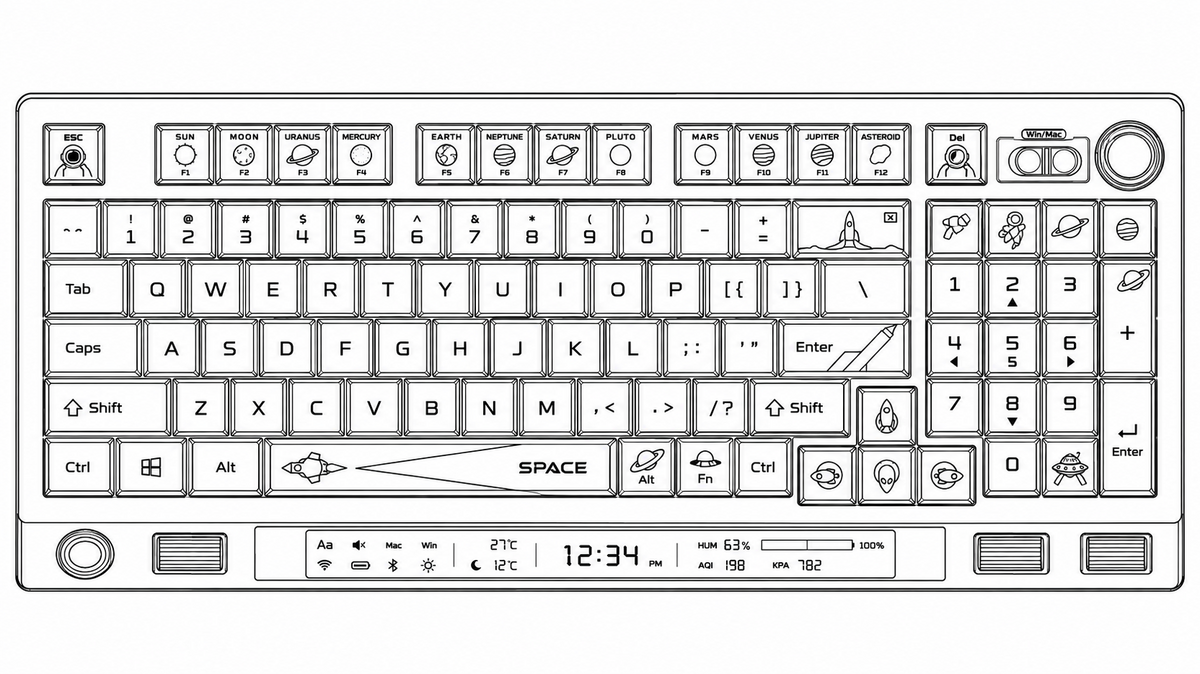
N96 keyboard line drawing with integrated front display and physical controls
Technical Specifications

General Specifications

Model
KEYTHOS N96
Keyboard layout
Compact layout with a numpad
Dimensions
385.6 × 158.3 mm (L × W)
Height
20.5–30.3 mm
Connection modes
USB-C wired, 2.4GHz wireless, Bluetooth
Bluetooth profiles
Three selectable Bluetooth channels
Charging and wired port
USB-C
Backlighting
RGB
Key rollover
Full N-key rollover
System compatibility
Windows 7–11 and macOS
Case material
PC (polycarbonate)
Positioning plate
PC (polycarbonate)
Keycaps
Dye-sublimated keycaps
Adjustable feet
Yes
Feet pads
Silicone

Display & Controls

Front display
Shows keyboard status and information
Programmable key
Assignable to shortcuts or macros
Physical controls
Dedicated controls for volume and lighting
System switch
Physical Windows/macOS mode switch
Connection switch
Physical switch for wired, 2.4GHz and Bluetooth modes
What is the N96?

The N96 is a compact mechanical keyboard with a number pad, an integrated front display, and dedicated physical controls. It brings keyboard status, everyday information, and hands-on adjustments together in one control hub.

Which connection modes does it support?

The N96 supports USB-C wired, 2.4GHz wireless, and Bluetooth connections. It has three selectable Bluetooth channels and a physical connection switch for changing modes.

Does it work with Windows and Mac?

Yes. The N96 supports Windows 7–11 and macOS. Use the physical system switch to select Windows or Mac mode.

What can the display and physical controls do?

The front display shows keyboard status and information. Dedicated physical controls let you adjust volume and lighting, while the programmable key can be assigned to a shortcut or macro.

Can I change the switches?

Yes. The N96 features hot-swappable switches, so you can change compatible switches to customize your typing feel without soldering.